
Materials Needed for VOC
- Here is a link to the folder in Google Drive where you can find all of the materials shared by the VOC Committee, in preparation for VOC. Staff assignments and all instructions can be found there.
Zoom Background
All FCSN Zoom accounts should already have the Zoom background installed on them. In case you would like to add it to Teams or you need it for another reason, here it is!
- Right-click this link for the Zoom Background image and select “open link in new tab”
- Right click the image and select “save as” to keep a copy for your files.

Graphics
The following graphics are intended to be inserted into an email to share with others, or to be posted on social media. To download graphics:
- Use your right mouse button and click on “open in new tab”
- In the new tab, right mouse click on the image and select “save as” to save to your files.
- When you’re ready to share the image, you can insert the image or attach it from your files.
English
- Register Now: English Language Graphic
- Alt Text: 2025 visions of Community Virtual Conference march 8, 2025 Register Now! fcsn.org/voc

Email or Social Media Post Text:
We hope you can join us!
Federation for Children with Special Needs
Visions of Community Virtual Conference
March 8, 2025
For more information: fcsn.org/voc
Spanish
- Register Now: Spanish Language Graphic
- Alt Text: 2025 Visiones de la Comunidad Conferencia virtual. 8 de marzo de 2025. Regístrese ahora: FCSN.org/VOC

Email or Social Media Post Text:
¡Esperamos que nos puedan acompañar!
La Federación para Niños con Necesidades Especiales Visiones de la Comunidad Conferencia virtual
8 de marzo de 2025
Para más información: fcsn.org/voc
Portuguese
- Register now: Portuguese Language Graphic
- Alt Text: 2025 Visões da Comunidade Conferência Virtual 8 de março de 2025 Inscreva-se já: FCSN.org/VOC

Email or Social Media Post Text:
Esperamos que vocês possam se juntar a nós.
A Federação para Crianças com Necessidades Especiais Visões da Comunidade Conferência Virtual
8 de março de 2025
Para maiores informações: fcsn.org/voc
Haitian Creole
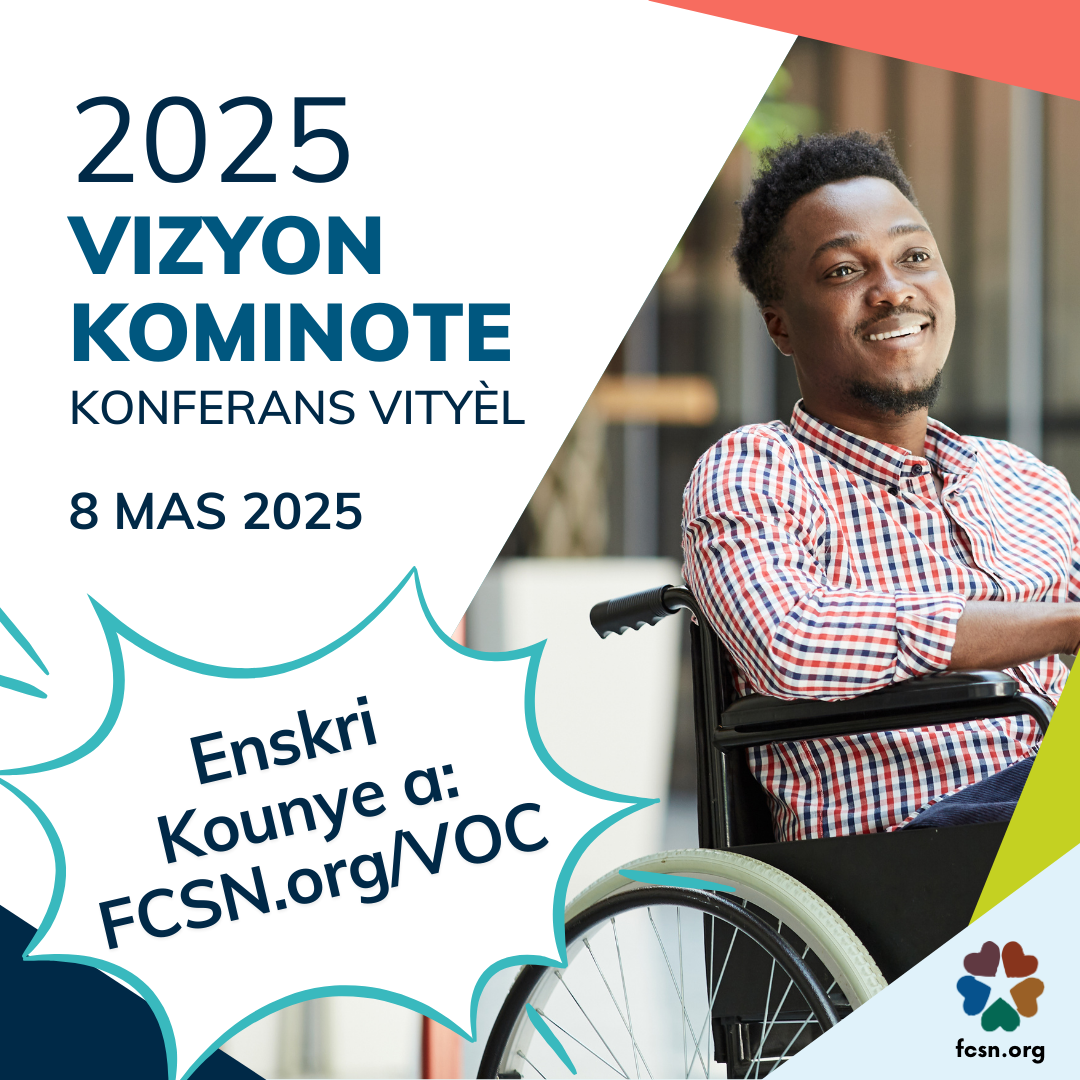
- Register Now: Haitian Creole Graphic
- Alt Text: 2025 Vizyon Kominote Konferans vityèl. 8 Mas 2025. Enskri Kounye a: FCSN.org/VOC
Email or Social Media Post Text:
Nou espere ou kapab patisipe avèk nou!
Federasyon pou Timoun ki gen Bezwen Espesyal yo Vizyon Kominote Konferans vityèl
8 Mas 2025
Pou plis enfòmasyon: fcsn.org/voc
Chinese
- Register Now: Simplified Chinese Graphic
- Alt Text: 2025 社区展望会议 网络会议. 2025年3月8日. 注册: FCSN.org/VOC

Email or Social Media Post Text:
我们希望您可以加入我们!
特殊需要儿童联盟 社区展望会议 网络会议
2025年3月8日
欲了解更多信息: fcsn.org/voc
Vietnamese
- Register Now: Vietnamese Graphic
- Alt Text: 2025 Viễn Cảnh của Cộng Đồng Hội Nghị Trực Tuyến ngày 8/3/2025 Đăng ký tại: FCSN.org/VOC

Email or Social Media Post Text:
Hi vọng bạn có thể tham gia cùng chúng tôi.
Liên Đoàn Hỗ Trợ Trẻ em cần Sự Trợ giúp Đặc biệt Viễn Cảnh của Cộng Đồng
ngày 8/3/2025
Để biết thêm thông tin: fcsn.org/voc
VOC Flyer
Flyers are designed to be printed. They should only be emailed when the person receiving the email will be printing hand-outs, otherwise see above for the best way to share the information via email.
Sharing the Facebook and Instagram Event
RSVP & Share That You’re Attending VOC – We’ve added VOC as a Facebook event & LinkedIn event. Click each link to RSVP and share the event with your network. For extra credit, invite three friends or colleagues who may be interested in attending VOC! I’ve included pictures of the “Invite” button on Facebook & LinkedIn events below, for your reference.
How to Invite People on Facebook: Click “Invite”, scroll through the list of names & click the checkboxes next to the people you’d like to invite , and click “Done”.

How to Invite People on LinkedIn: Click Share > Invite, scroll through the list of names & click the checkboxes next to the people you’d like to invite , and click the button in the bottom right that says “Invite”.
